The Second Brain That Refuses to Trust Itself
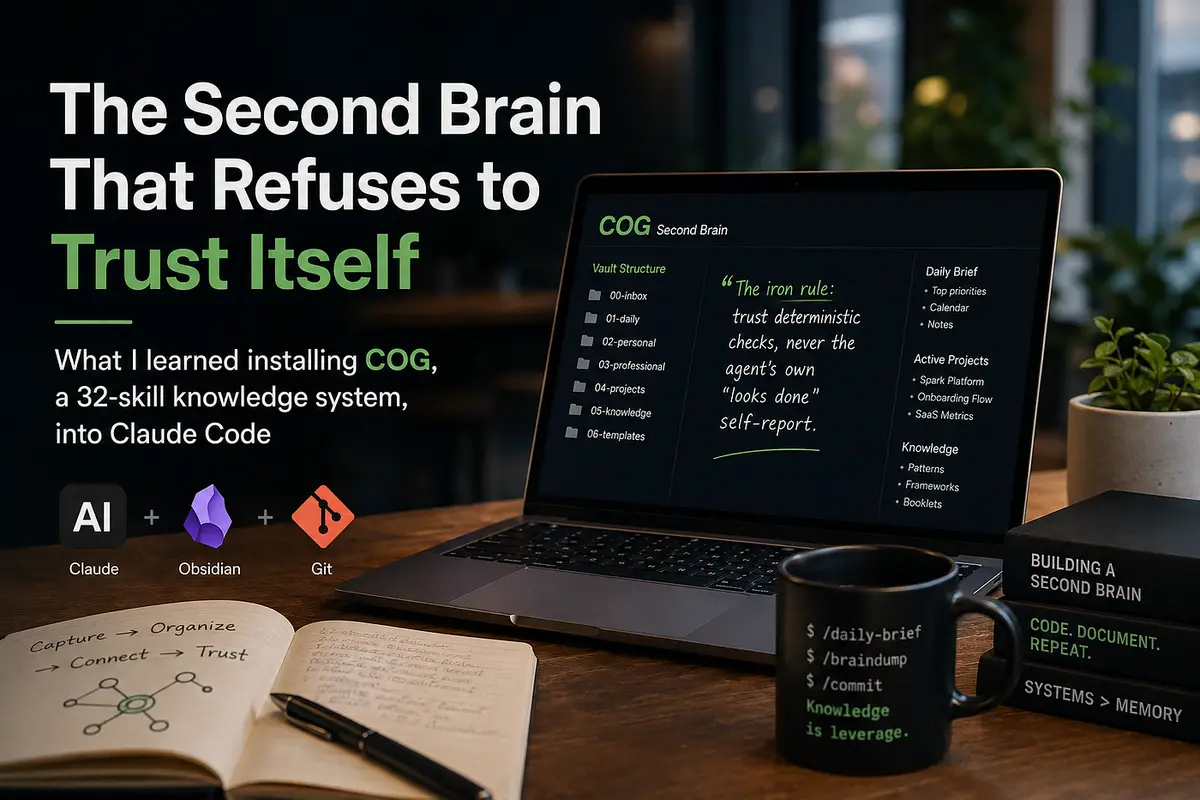
What I learned installing COG, a 32-skill knowledge system, into Claude Code
Most “second brain” tooling fails in the same place. Capture is easy, so capture is where every tool competes. The hard part is the other side: retrieval you can trust six months later, when the note says your deploy script lives at a path that was renamed in March, and nothing ever told you.
COG is the first system I have used that treats that problem as the actual product. It calls itself “Claude + Obsidian + Git,” and the pitch sounds familiar until you read the skills. Then you find something unusual: a shared reference file whose central rule is that the agent is not allowed to believe itself.
The iron rule: trust deterministic checks, never the agent’s own “looks done” self-report.
That single line is why the rest of this is worth your time. Below is what COG actually is, how to install it without making a mess, what each skill does, and the practices that separate a vault you use from a folder of markdown you abandon.
I set this up on a machine I use for production work on a Rails 8 API and a Next.js 16 client, so everything here is from a real install rather than a skim of the README.
What COG actually is
COG is a collection of 32 skills for Claude Code, plus a convention for a plain-markdown vault that those skills read from and write to. There is no app, no database, no proprietary format. Your knowledge is directories of .md files in a Git repo you control, readable in Obsidian, greppable from a terminal, diffable in a pull request.
The vault has seven numbered directories, and the numbering is the interface:
00-inbox/        profile, config, and things not yet filed
01-daily/        briefs, check-ins, journal entries
02-personal/     braindumps, development, wellness
03-professional/ braindumps, leadership, strategy, skills
04-projects/     one folder per project
05-knowledge/    consolidated frameworks, patterns, timeline, booklets
06-templates/    reusable scaffolds
The design principle behind it is stated plainly in the onboarding skill, and it is the most important thing to understand before you type a command:
Configuration is knowledge. Your preferences are not hidden in a dotfile. They are notes in your own vault, at 00-inbox/MY-PROFILE.md, MY-INTERESTS.md, and MY-INTEGRATIONS.md. You can link to them, edit them mid-session, put your own commentary in them, and see them in Obsidian's graph view. Every skill reads them before it does anything. If a daily brief comes back too generic, you do not file a bug. You open MY-INTERESTS.md and make it more specific.
Installing it, and the four things nobody warns you about
One command:
npx skills add huytieu/COG-second-brain
Four things I hit that the README does not prepare you for.
1. The install output lies to you, sort of. You will see a wall of red ✗ PromptScript does not support global skill installation lines. That is a second agent target failing, not Claude Code. Check ~/.claude/skills/ before you panic. Mine had all 32 skills symlinked through to ~/.agents/skills/, which means they are global across every project rather than per-repo.
2. One skill genuinely does not install. review-cockpit has malformed YAML frontmatter upstream and silently does not land. Confirm with ls ~/.agents/skills/review-cockpit. Nothing you did wrong, and nothing you can fix locally.
3. The installer does not ship the role packs, and this one matters. COG has six role packs (designer, engineer, engineering-lead, founder, marketer, product-manager) that live in .claude/roles/ in the repo. npx skills add pulls skill files only, so role matching during onboarding silently falls back to custom and you get generic recommendations. Fetch them by hand:
mkdir -p ~/COG/.claude/roles && cd ~/COG/.claude/roles
for f in designer engineer engineering-lead founder marketer product-manager; do
  gh api "repos/huytieu/COG-second-brain/contents/.claude/roles/$f.md" \
    --jq '.content' | base64 -d > "$f.md"
done
Note that /update-cog will not refresh these later, because it correctly treats your vault contents as yours and only updates framework files it knows about. Re-fetch manually when upstream changes them.
4. This is the one that will actually bite you. COG skills write to those numbered folders relative to your current working directory. Run /braindump from a client repo and you get 00-inbox/, 01-daily/, and five more directories deposited inside it. Run it from your home directory and you scatter them across ~.
So the first real step is not a command, it is a directory:
mkdir -p ~/COG && cd ~/COG && git init && claude
The vault wants to be its own Git repository anyway. That is the “Git” in Claude + Obsidian + Git, and it is what makes your knowledge history auditable.
Then run /onboarding once. It is a conversation rather than a form, and it parses aggressively: give it "I'm Alex, a PM at a fintech startup tracking Stripe and Plaid" and it extracts name, role, and watchlist without asking three follow-up questions. Everything downstream reads what it writes, so skipping it makes the rest of the system generic.
The idea that makes COG different
Here is where COG stops being another prompt pack.
Most skills in most collections are one-shot prompts: a long instruction, one model call, whatever comes out. Several COG skills are explicitly loops, and the framework ships a shared reference (loop-engineering) that every looping skill links to instead of restating.
The loop is six steps:
1. Gather    pull context (vault + sources)
2. Act       one step: search / fetch / scan
3. Observe   read the real result
4. Verify    run the deterministic check
5. Update    write progress to a vault file
6. Decide    continue? → loop     stop? → finish + report
And the reference is blunt about which step carries the weight: “Step 4 is the load-bearing one. A loop without a verifier is just a chain that repeats.”
What counts as a verifier is deliberately mechanical. Not “does this look right,” but: is the publication date within seven days? Are there at least two independent sources? Is the required field non-empty? A date comparison cannot be gamed and cannot be hallucinated. Judgment-based checks are reserved for the genuinely unquantifiable, and when one is used the skill has to state its confidence and link its evidence.
Every loop also needs layered exits, because one is never enough:
ExitWhat it catchesDeterministic verifierThe goal is actually metHard iteration capRunaway passesBudget guardCost blowupNo-progress detectionThe quiet infinite loop a cap alone misses Human escalationA stuck loop that should be your call
If you build your own skills, this file is worth reading even if you never run COG. It names patterns you have probably reinvented: reflect-retry, evaluator-optimizer, orchestrator-workers, loop-until-dry.
You can watch it work in daily-brief. Ask for one, and items that cannot clear the seven-day freshness check get discarded rather than softened. When a topic genuinely has no recent news, the brief says so instead of backfilling with something from March. Sources get tagged by credibility tier (Reuters and official announcements as Tier 1, industry press as Tier 2, social and community posts as Tier 3, cross-referenced before they survive). My first brief ended up disclosing two items as outside the freshness window rather than quietly including them, and dropped a set of claims entirely because only aggregators carried them. That behavior is the product.
The skills, by how often you will actually use them
Thirty-two skills is too many to hold in your head. Group them by cadence instead.
Every day
/braindump is the highest-frequency skill and the one to start with. Dump raw thoughts, unstructured, mid-sentence if you like. It classifies them into the right domain folder, extracts action items and connections to existing notes, and pulls out competitive intelligence when you mention a company on your watchlist. You are not organizing. You are talking.
/daily-journal is the sleeper. It is a work log Claude keeps for you, appending to 01-daily/journal/YYYY-MM-DD.md after meaningful work. Its trigger is behavioral rather than invocation-only: it logs in any session where real work happened, not just when you type the command. If your team expects a session note on every commit, this quietly removes a chore you were doing from memory anyway.
/daily-brief is the verified-news loop described above.
/url-dump and /scout are a pair worth understanding as a pair. url-dump saves a link with insights extracted, filed into category "booklets" under 05-knowledge/booklets/. If its category confidence drops below roughly 70 percent it asks you rather than filing it wrong, and a paywalled page gets saved with the available preview and a Review Needed flag instead of invented fields. scout is the step before: it checks whether your vault already covers something and recommends save or skip. Use scout when you are drowning in tabs and url-dump when you already know you want the thing.
Every week
/weekly-checkin does cross-domain pattern analysis. It needs a week of braindumps to say anything interesting, so do not judge it on day two.
/knowledge-consolidation is the largest skill in the collection at 877 lines, and it is the one that justifies capturing anything at all. It sweeps your scattered notes for recurring themes and promotes them into actual frameworks with principles, applications, and stated boundaries. It uses a loop-until-dry pattern: keep extracting until several passes in a row surface nothing new.
/harvest captures durable session learnings and stages them for your approval before anything becomes permanent knowledge. It never writes durable notes without you saying yes.
Every month
/memory-hygiene is my favorite thing in COG, and the clearest signal that someone thought hard about the six-month problem.
It borrows a framing from a Berkeley paper on scaling agent harnesses: make trust a runtime decision, not a property of the stored item. Rather than assuming a stored note is true because you wrote it down, the skill re-verifies claims against the live environment and stamps each entry with last_verified and confidence as first-class fields.
It splits claims into two buckets and treats them differently. Environment-dependent claims (paths, repo names, branch names, URLs, API endpoints, channel IDs, version numbers) get checked mechanically: test -e for paths, curl -sI for URLs, gh repo view for repos. Preference and judgment claims (tone rules, "never do X", strategy context) cannot be environment-checked, so they are only checked for contradiction against newer entries, with the newer one winning.
Two details show real care. It caps itself at about a minute per entry, because this is hygiene and not an investigation. And it insists that unverifiable is not the same as drifted: a claim it could not cheaply check keeps its prior confidence and gets a fresh date stamp rather than being demoted.
Work-adjacent
These declare their integrations in frontmatter, so they degrade to asking you for manual input rather than failing when a service is not connected.
- /create-user-story with duplicate detection across Linear, GitHub Issues, and Jira
- /generate-release-notes from commits, categorized
- /generate-prd with optional publishing to Confluence, Notion, or HackMD
- /meeting-transcript turning a recording into decisions, action items, and team dynamics with noise filtering
- /team-brief, at 893 lines the second-largest skill, cross-referencing GitHub, Linear, Slack, PostHog, meetings, and braindumps with two-way Linear sync-back
- /comprehensive-analysis and /export-open-issues for review and audit cycles
- /update-cog to pull framework changes without touching your personal content
The design and writing set
Worth knowing these exist, because they are unusually opinionated. taste-skill is the biggest file in the whole collection at 1,209 lines. product-ui-taste covers dashboards, tables, forms, and edge cases like overflow and long labels. no-ai-slop edits drafts toward sharper writing while preserving your voice, or just detects AI-slop patterns without rewriting. museum-art sources public-domain artwork from museum open-access APIs (the Met, Rijksmuseum, Cleveland, Getty, Smithsonian) instead of generating or stock-grabbing. editorial-illustrations teaches a "claim to geometry" method for figures that carry a thesis rather than decorate one. data-forms is a catalog of chart forms with failure modes attached.
One thing to know about the bundle
Four skills, closed-loop, retro, ultragoal, and harvest, come from a different lineage than the rest. They implement a V-model workflow with numbered checkpoints (CP-1 through CP-7) adapted from a toolkit called dwarves-kit, and they share COG's philosophy without being COG proper. Their governing rule is stated even more sharply than the loop-engineering one:
The worker never grades its own homework, and wrongness compounds across sessions.
/ultragoal in particular is built for goals spanning many sessions, with cross-session state so a cold session can resume, and a north-star acceptance gate at the end. If you are shipping a side product over weeks, that is where to look. If you just want a second brain, you can ignore this cluster entirely.
Solo mode versus team mode
Your profile carries an agent_mode field, and it changes how skills execute.
Solo handles everything in one conversation. Team delegates research and analysis to specialist sub-agents, giving each a clean context window and taking back only its conclusion. The loop-engineering reference is explicit about why that matters: never paste one worker’s raw output into the next worker’s prompt, because that is how context rot spreads.
Team mode costs more tokens per run and buys depth. Interestingly, the engineer role pack recommends solo, on the reasoning that engineers usually have focused workflows where direct interaction beats delegated analysis. I run team anyway, but the recommendation is well-argued enough that I flip to solo when a task is small. Treat it as a per-task dial rather than a permanent setting.
Seven practices that separate use from abandonment
1. Give it a dedicated directory and a Git repo. Not optional. The numbered folders are written relative to your working directory, and the Git history is the audit trail that makes stored knowledge trustworthy.
2. Make MY-INTERESTS.md embarrassingly specific. "AI" gets you noise. "Agent orchestration, evals, tool-use patterns, pgvector, Rails 8 Active Storage" gets you a brief you actually read. Brief quality tracks this file's specificity almost linearly.
3. Braindump before you consolidate. /weekly-checkin and /knowledge-consolidation are pattern-finders. With nothing to find patterns in, they produce polite noise. Two weeks of daily braindumps first.
4. Do not create a competitive watchlist until you have real names in it. An empty or invented watchlist makes every skill that reads it produce plausible-sounding fiction. Leave the file uncreated until you can name three real companies and why you care.
5. Run /memory-hygiene monthly, and act on what it flags. This is the practice that pays off latest and largest. Stale environment claims are the failure mode that makes people quit knowledge systems, and this is the only defense I have seen shipped as a first-class feature.
6. Watch your context budget. Every installed skill contributes a line to the skill listing in every session in every project. COG’s 32 skills on top of whatever you already had is real overhead in repos where you will never call /museum-art. npx skills remove takes a list. Audit before it hurts.
7. Read anything that publishes outward before you run it. These skills execute with full agent permissions. team-brief, publish-to-confluence, and content-factory all either touch integrations or publish externally. Skim them first. This is the installer's own warning, and it is a reasonable one.
The rough edges, honestly
Skill name collisions are real. If you already run other skill collections, expect overlap. On my machine taste-skill and an existing design-taste-frontend have byte-identical descriptions in different files, which means both look equally relevant when I ask for frontend work. Same story for data-forms against an existing dataviz. Nothing is broken, but you have to name the one you want when it matters.
One skill does not install and the role packs are not shipped. Both covered above. Both upstream issues rather than local ones, and both worth an issue if you are inclined.
The vault-relative write behavior deserves a louder warning than it gets. It is the single most likely way a new user makes a mess.
Some skills are enormous. A 1,209-line skill file is a lot of instruction to load. That is a deliberate tradeoff in favor of thoroughness, but it is a tradeoff.
Who this is for
If you want frictionless capture and nothing else, COG is more machinery than you need.
If you have been burned by a knowledge base that quietly went stale, or you are building agent workflows and want to see what verification-first design looks like in practice, it is worth an afternoon. Install it into a dedicated directory, run onboarding properly, braindump for two weeks, then run /knowledge-consolidation and see whether it finds something you had not noticed about your own thinking.
The skills are useful. But the thing I actually took away is the discipline underneath them: every loop declares its verifier, every claim carries a last_verified date, and no worker grades its own homework. That is a good way to build agents whether or not you ever keep a vault.
COG is open source at github.com/huytieu/COG-second-brain. Install with npx skills add huytieu/COG-second-brain. Details here reflect a hands-on install and may drift as the project moves.
Written by Qasimali
Technology enthusiast and developer sharing insights on web development, AI, and modern software solutions.
View more articles →